Somebody in your group chat just typed “I’ll send you an SMS” and you paused for half a second. You know what a text is. But SMS? That one still trips people up, especially when your grandma uses it and your little cousin has never once said it out loud.
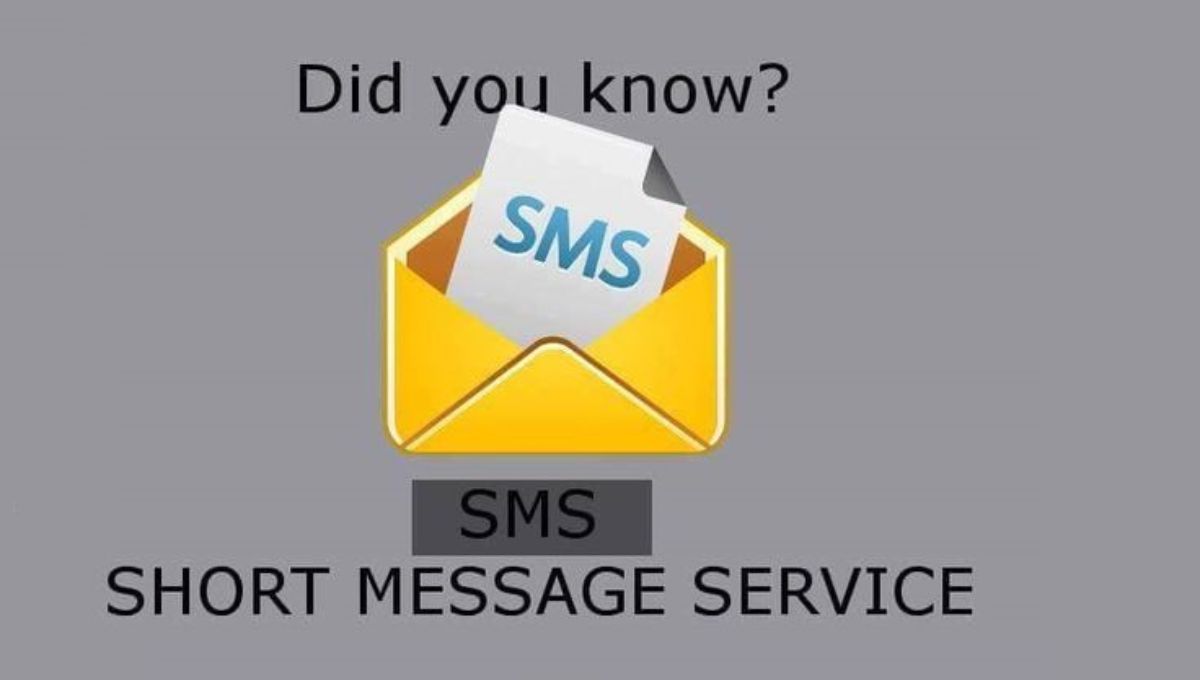
Here’s the short version: SMS stands for Short Message Service, and it’s the original technology behind every text message you’ve ever sent.
This guide breaks down what SMS mean in text conversations, how it actually works behind the scenes, and why a 30-plus-year-old technology still runs the show in 2026.
🧠 What Does SMS Mean in Text?

SMS stands for Short Message Service. It’s a messaging protocol that lets one mobile phone send a short block of text to another, using the mobile network rather than the internet. When someone says “send me an SMS,” they mean exactly what you think: send a regular text message.
The term comes from the early days of mobile phones. Engineers building out the Global System for Mobile Communications (GSM) standard in the 1980s needed a lightweight way to push small alerts and messages across cellular networks.
SMS was the answer, and it stuck around long after flip phones disappeared. So when you’re asking what SMS mean in text today, you’re really asking about the plumbing underneath nearly every text message system on earth.
A few quick facts worth knowing:
| Term | What It Means |
| SMS | Short Message Service — the original text messaging protocol |
| Text message | The actual message content sent through SMS (or other systems) |
| SMS message | Another way of saying “a text sent via SMS” |
| Carrier network | The mobile network that physically routes your SMS message |
📱 How SMS Works in Simple Words
You don’t need an engineering degree to understand this, and honestly, once you see it laid out, it’s kind of elegant.
- You type a message on your phone’s messaging app.
- You hit send. Your phone hands the message off to your mobile carrier.
- Your carrier’s network routes it. The message travels through a piece of infrastructure called the Short Message Service Center (SMSC), which figures out where the message needs to go.
- It lands on the recipient’s device. Assuming their phone is on and within range, this whole trip takes just a few seconds.
📊 Difference Between SMS and Text Messages
People use “SMS” and “text message” interchangeably, and honestly, most of the time that’s fine. But there’s a subtle distinction worth knowing.
| Term | Meaning | Example |
| SMS | The underlying protocol/system | “This app sends messages via SMS.” |
| Text Message | The actual content you send | “Hey, running 10 minutes late!” |
📱 Where SMS Is Commonly Used
Even with a dozen messaging apps competing for your attention, SMS quietly handles a huge share of daily communication, especially anywhere reliability matters more than flashy features.
📍 Common uses:
- 🏦 Bank alerts — one-time passcodes, fraud warnings, balance notifications
- 🏥 Appointment reminders — doctors, dentists, salons, auto shops
- 📦 Delivery updates — “Your package will arrive between 2–4 PM”
- 🔐 Two-factor authentication (2FA) — verification codes for logging into accounts
- 📞 Emergency messages — weather warnings, evacuation notices
- 📡 Low-connectivity communication — rural areas, travel abroad, and zones with weak network coverage
💬 Examples of SMS in Real Life
Sometimes the easiest way to understand a concept is to just see it in action. Here’s what everyday SMS messages actually look like:
1. Bank Alert
“Your one-time code is 583920. Don’t share this with anyone.”
2. Delivery Update
“Your order is out for delivery and should arrive by 6 PM today.”
3. Appointment Reminder
“Reminder: your dental cleaning is tomorrow at 9:30 AM. Reply C to confirm.”
4. Casual Friend Text
“Running late, be there in 15!”
5. Security Verification
“112233 is your verification code. Expires in 10 minutes.”
Notice a pattern? Short, direct, and useful. That’s kind of SMS’s whole personality.
Read This Blog:What WBU Mean in Text 📲😊: Easy Explanation for Beginners (2026)
🕓 When SMS Is Used Today
SMS hasn’t disappeared, it’s just found its lane. While chat apps dominate casual conversation, SMS still owns the moments where trust and reliability matter most.
✅ When SMS Is Used:
- When there’s no internet connection available
- For official business notifications
- For secure login and verification codes
- On older or basic mobile phones
- During emergencies and government alerts
❌ When SMS Is Less Used:
- Casual day-to-day chatting (most people default to WhatsApp, iMessage, or Messenger)
- Sending large media files like videos or voice memos
- Big group conversations with lots of back-and-forth
🔄 SMS vs Internet Messaging Apps
Here’s a side-by-side that makes the difference obvious at a glance:
| Feature | SMS | WhatsApp / Messenger / iMessage |
| Internet required | ❌ No | ✔️ Yes |
| Cost | Sometimes per-message | Usually free with data |
| Media support | Limited (needs MMS) | Full photo/video/voice support |
| Works on old phones | ✔️ Yes | ❌ Often no |
| Delivery speed | Fast, but basic | Fast and feature-rich |
| Best for | Alerts, security, official messages | Everyday personal chatting |
📲 Why SMS Is Still Important
Given how many messaging apps exist now, you’d think SMS would’ve faded out by now. It hasn’t, and there are solid reasons why.
🔐 1. Security
Banks, healthcare providers, and countless apps still lean on SMS for two-factor authentication. Sending a one-time code straight to a phone number adds a layer of identity verification that’s hard to fake, which is a big reason SMS remains the default for account security.
📡 2. Reliability
SMS doesn’t care whether you’ve got five bars of data or none at all. As long as you’ve got basic cell signal, your message goes through. That kind of dependability is rare in modern tech.
🏥 3. Emergency Use
Government agencies and emergency services use SMS to blast out weather warnings, evacuation notices, and public safety alerts. When cell towers get overloaded during a crisis, SMS is often still the message type that squeezes through, since it needs so little bandwidth to send.
📱 4. Universal Support
Every mobile phone ever manufactured, from decade-old flip phones to the newest smartphone, can send and receive SMS. No app download. No account setup. Just a phone number and a signal.
Read This Blog:What Does WH Mean in Text Messages Today? The Complete 2026 Guide 🤔💬
🧠 Common Misunderstandings About SMS
Let’s clear up a few myths that keep floating around.
❌ “SMS needs internet”
Wrong. SMS runs over your mobile carrier’s cellular signal, not Wi-Fi or mobile data. You can send an SMS with zero bars of data as long as you’ve got basic signal.
❌ “SMS and WhatsApp are the same”
Wrong. WhatsApp is an internet-based app that requires both parties to have it installed. SMS needs nothing but a phone number and works natively on every device.
❌ “SMS is outdated”
Partially wrong. It’s older, sure, but “outdated” implies it’s not useful anymore, and that couldn’t be further from the truth. It’s still the backbone for security codes, emergency alerts, and business notifications worldwide.
🔄 Similar Terms You Might See
Messaging terminology gets confusing fast. Here’s a quick cheat sheet:
| Term | Meaning | Where You’ll See It |
| MMS | Multimedia Messaging Service | Sending photos, videos, or audio via text |
| RCS | Rich Communication Services | Android’s newer, richer messaging upgrade |
| IM | Instant Messaging | Real-time chat apps generally |
| Chat | General online conversation | WhatsApp, Messenger, Slack, etc. |
| DM | Direct Message | Private messages on social platforms |
Get More Out of Text Messaging
If you’re a business owner wondering whether SMS is worth your time, here’s the honest answer: it’s one of the highest-ROI channels available, provided you use it thoughtfully. Pair a clear opt-in process with a genuinely useful message (a reminder, a confirmation, a real update) and you’ll consistently outperform email open rates by a wide margin.
The businesses that struggle with SMS are usually the ones treating it like a spam channel instead of a direct line to people who actually asked to hear from them.
Most growing businesses eventually route their texts through a proper messaging gateway rather than sending one by one from a phone.
A gateway connects to a cloud-based CRM, which means every text ties back to a real customer record, so replies, purchase history, and personalized messages all live in one place instead of scattered across someone’s personal phone.
Is SMS Secure?
Here’s the nuance people often miss: SMS is reliable, but it isn’t private in the way an encrypted app is. Text messages pass through carrier networks without end-to-end encryption, meaning they’re not as locked-down as something like Signal or WhatsApp’s encrypted chats.
That’s exactly why security-conscious businesses pair SMS with two-factor authentication (2FA) instead of sending sensitive account details directly through text.
A one-time code is fine to send via SMS. Your full account password or Social Security number is not. Treat SMS the way you’d treat a postcard: useful for quick, low-stakes information, not for anything you’d want kept fully private.
What Is SMS, and How Does It Differ With RCS and Messaging Apps?
SMS, RCS, and messaging apps get lumped together constantly, but they’re built on genuinely different foundations.
What Is SMS: SMS vs. RCS
RCS (Rich Communication Services) is essentially SMS’s more capable younger sibling. It runs over Wi-Fi or mobile data rather than the basic cellular signal, and it unlocks features SMS never had:
- Read receipts and typing indicators
- High-resolution photos and video without heavy compression
- Verified business sender profiles
- Suggested quick-reply buttons
What Is SMS: SMS vs. Messaging Apps
Messaging apps like WhatsApp, Facebook Messenger, and Telegram are third-party applications. Both people in the conversation need the same app installed, plus an internet connection. SMS and RCS, by contrast, come built into your phone’s native messaging system already, no download required.
The tradeoff? Messaging apps often support richer media and lower cost (especially internationally), while SMS wins on universal reach: literally any phone with a signal can receive it.
What Is SMS?
Let’s zoom back out for a second, because it’s worth restating plainly: SMS is a text-messaging standard that lets mobile phones exchange short written messages over a cellular network, without needing internet access.
It’s been around since the mid-1980s as part of the GSM standard, and it remains one of the most universally compatible technologies ever built for mobile devices.
What makes SMS genuinely remarkable is its simplicity. It was designed during an era of limited network capacity, so its creators kept it lightweight on purpose, riding on unused “signaling paths” that phone networks already used to set up calls.
That efficient design is a big part of why SMS scaled globally without requiring every country to agree on some brand-new standard.
MMS vs. SMS
MMS, or Multimedia Messaging Service, is SMS’s expanded cousin. It uses the same underlying carrier infrastructure but adds support for photos, short videos, audio clips, and hyperlinks.
| Feature | SMS | MMS |
| Character limit | 160 (GSM-7) | No strict text limit |
| Media support | None | Photos, video, audio |
| File size | N/A | Typically capped by carrier |
| Common use | Alerts, codes, short updates | Photos, richer promotional content |
When Did SMS Begin?
SMS traces its roots to 1985, when the GSM standard first defined the protocol. But the moment most people actually point to is December 3, 1992, when engineer Neil Papworth sent the very first SMS message from a computer to a colleague’s mobile phone. The message read simply: “Merry Christmas.”
Ironic detail: the very first text ever sent wasn’t even typed on a phone. Most mobile devices at the time didn’t have the alphanumeric keyboards needed to type a message, so Papworth composed it on a desktop computer instead.
Throughout the 1990s, SMS adoption crawled along slowly. Messages cost money per send, and early users often couldn’t text across different carrier networks.
It wasn’t until cell phones went mainstream in the 2000s, alongside the rise of short codes, that texting exploded into the everyday habit we know now.
How Many SMS Messages Are Sent?
The scale of global texting is honestly kind of staggering. Industry estimates suggest people send tens of billions of text messages every single day worldwide, a number that’s only grown as mobile phone adoption spread into regions with limited broadband infrastructure.
Businesses have leaned into that volume too. As more companies shift budget toward direct-to-consumer messaging, SMS keeps proving itself as one of the few channels people actually read within minutes of it landing on their phone, rather than letting it pile up unread.
Why SMS Works for Businesses
Businesses gravitate toward SMS for one simple reason: people actually read their texts. Compare that to email, where a chunk of messages get buried, ignored, or filtered straight into spam.
SMS Engagement: What the Numbers Show
| Channel | Typical Open Rate |
| SMS | Around 98% |
| Around 20% | |
| Push Notifications | Around 8% |
How Do You Get Started with SMS Marketing?
Getting into SMS marketing isn’t complicated, but it does require doing a few things in the right order.
- Choose an SMS platform that supports two-way messaging and compliance tracking.
- Build an opted-in contact list — never buy or scrape phone numbers.
- Set up your sending number — short code, toll-free, or 10DLC, depending on your volume needs.
- Write clear, valuable messages — reminders, updates, and offers people actually want.
- Track your results and adjust based on delivery rates and response data.
A Look at SMS Marketing Features
Most modern SMS platforms include:
- Two-way conversational messaging
- Bulk and segmented campaign sending
- Message scheduling
- Contact tagging and segmentation
- CRM integrations (Salesforce, HubSpot, and similar tools)
- Delivery and engagement analytics
Plus, Extras Our Customers Requested
Beyond the basics, businesses increasingly ask for shared team inboxes (so multiple staff members can manage replies without stepping on each other), keyword-based automation (so a reply like “STOP” or “YES” triggers an instant action), and compliance tools that automatically track opt-in and opt-out status.
These extras turn SMS from a one-off broadcast tool into a genuine two-way customer communication channel.
There’s also a growing push toward omnichannel customer service, where an SMS thread can hand off into a web chat or a phone call without the customer having to repeat themselves.
Done well, that’s what real conversational commerce looks like: a customer texting a question, clicking a link to a landing page, and completing a purchase, all without leaving the conversation.
SMS Compliance: What Businesses Need to Know
Before you send a single promotional text, you need consent, full stop. The CTIA (Cellular Telecommunications Industry Association) sets the guidelines that carriers enforce, and getting this wrong can get your number blocked entirely.
The short version: conversational replies need no extra opt-in, account-related updates need express consent, and any promotional or marketing message needs written express consent before you send a single text. We’ll break this down in full detail further down.
SMS Character Limits & Encoding Standards
This is where SMS gets a little technical, but it’s genuinely useful to understand.
SMS messages get sent as data packets of 140 8-bit octets. Depending on which character encoding gets used, that translates into different character limits:
| Encoding | Used For | Max Characters |
| GSM-7 | Standard English letters/symbols | 160 characters |
| UCS-2 | Emojis, special characters, non-Latin scripts | 70 characters |
Number Types Compatible With SMS Messaging
Businesses sending SMS at scale need the right type of phone number, since not every number type is built for high-volume messaging.
Short Codes
Short, 5-to-6-digit numbers built for high-volume, one-way or keyword-triggered messaging (think “text JOIN to 12345”). Short codes can’t make voice calls, and they’re not meant for casual two-way conversations.
Toll-Free
Standard toll-free numbers (800, 888, and similar prefixes) that support two-way SMS conversations alongside high sending volume. Customers can text back and forth just like a regular number.
10DLC
10-digit long code (10DLC) numbers look like a normal local phone number but carry official approval for business-level messaging volume. They support both texting and voice calls, and they’ve become the standard choice for businesses that want a local-feeling number with legitimate sending power.
SMS Message Deliverability
Not every SMS you send actually reaches its destination. Carriers screen every message before handing it off, checking a handful of factors:
- Sender reputation — has this number been flagged or blocked before?
- Number type match — are you sending high volume from a number type built for it?
- Message volume — does the send rate look normal for this number?
- Message content — does it contain spam triggers, shortened links, or disallowed content?
Error Codes & Messaging ROI
When a message fails, carriers return an error code explaining why, whether that’s an invalid number, a landline that can’t receive texts, or a spam block.
Businesses use these codes to calculate real delivery rates and measure actual ROI. One important distinction: P2P messages can only be tracked at the carrier level, while A2P messages can be tracked down to the individual handset, giving businesses much deeper visibility into whether a message truly landed.
The Benefits of SMS
Speed
Because SMS packets are small, messages typically deliver within seconds, even during high-traffic periods like natural disasters when phone lines get jammed.
Accessibility
Low bandwidth requirements mean SMS often reaches areas where voice calls or data connections struggle to get through.
Universality/Ubiquitousness
Virtually every mobile device on the planet supports SMS, no app, no account, no operating system requirement.
Open & Response Rates
SMS consistently posts open rates near 98%, dwarfing email’s roughly 20% and push notifications’ roughly 8%.
Cost Savings
Most personal plans now bundle unlimited texting, and businesses save on operational costs by automating SMS instead of staffing phone lines.
Flexible Use Cases
From appointment reminders to two-factor codes to full marketing campaigns, SMS adapts to nearly any communication need a business or individual might have. Businesses can even queue up scheduled messages in advance, so reminders and promotions go out automatically at the right moment without anyone manually hitting send.
SMS Guidelines & Regulations
The CTIA splits SMS traffic into two categories, and understanding the difference matters if you’re sending anything beyond casual personal texts.
Person-to-Person SMS
P2P covers normal human-to-human texting. It’s defined by a few key limits:
- No more than 1 message per second
- Roughly a 1:1 ratio of sent-to-received messages
- No more than 100 unique recipients per message
- Sending 25 or more nearly identical messages can flag your traffic as A2P instead
Application-to-Person SMS
A2P covers business and automated messaging.
It allows for higher sending volumes and requires proper number types like short codes, toll-free, or 10DLC.
A2P Opt-In Requirements
The CTIA defines three tiers of business messaging, each with its own consent rules:
- Conversational messaging — consumer-initiated, no extra opt-in required
- Informational messaging — requires express consent (appointment reminders, account updates)
- Promotional messaging — requires express written consent before sending any marketing text
Skipping these steps isn’t just risky, it’s how businesses get their sending numbers blocked entirely.
FAQs
How much does it cost to send SMS messages?
Costs vary. Personal plans typically bundle unlimited SMS, while businesses sending at scale usually pay per message through short code, toll-free, or 10DLC pricing.
How long has SMS been around?
Since the mid-1980s as part of the GSM standard, with the first real-world SMS sent in December 1992.
Does SMS need internet?
SMS runs entirely over your carrier’s cellular signal, not Wi-Fi or mobile data.
Why do people still use SMS?
Because it’s reliable, universally compatible, and remains the backbone of security codes and emergency alerts.
Is SMS free?
Sometimes, depending on your mobile plan. Most modern plans include unlimited texting, though international and business messaging can carry separate costs.
🧾 Final Thoughts
At the end of the day, SMS is simple: it’s the original system behind sending a short text from one phone to another, no internet, no app, no fuss. So the next time you’re wondering what SMS mean in text, or someone asks why their bank still sends codes “the old-fashioned way,” you’ll know exactly why. It’s not old-fashioned. It’s just reliable, and reliability never really goes out of style.